What Pages Should a Church Website Have? (The 2026 Complete Guide)
Discover the 12 essential pages every church website needs in 2026. Includes visitor statistics, page templates, and proven structure for maximum engagement.
Ready to Get Your Church Online?
Professional church websites built in 48 hours. No technical skills required. Starting at just $97.
TL;DR
Every church website needs 12 essential pages: Home, About/Welcome, Beliefs, Service Times, Ministries, Contact, Giving, Events, Sermons, Leadership, New Visitors, and Blog. Data from 3.6 million pageviews shows the About page is the second most-visited page after the homepage—yet most churches neglect it. A well-structured church website with these core pages increases visitor engagement by 47% and makes first-time guests 3x more likely to attend in person. Fast Church Websites delivers all 12 essential pages, professionally designed and ready to launch in 48 hours for just $97. For more details, see our church website examples with excellent page structure [blocked]. For more details, see our comprehensive church event planning guide [blocked].
Table of Contents
- Why Church Website Structure Matters More Than Design
- The Data: What Pages Visitors Actually Use
- The 12 Essential Pages Every Church Website Needs
- Page #1: Homepage (Your Digital Front Door)
- Page #2: About/Welcome (The Most Underrated Page)
- Page #3: Beliefs (Building Trust Through Transparency)
- Page #4: Service Times & Locations
- Page #5: Ministries & Programs
- Page #6: Contact & Directions
- Page #7: Online Giving
- Page #8: Events Calendar
- Page #9: Sermons & Media
- Page #10: Leadership & Staff
- Page #11: New Visitors (Plan Your Visit)
- Page #12: Blog (Ongoing Content)
- How to Organize Your Pages: Navigation Best Practices
- Common Church Website Mistakes to Avoid
- Frequently Asked Questions For more details, see our church website design best practices [blocked].
Why Church Website Structure Matters More Than Design {#why-structure-matters}
When Pastor Sarah's church redesigned their website, they spent $4,500 on a beautiful custom design. Six months later, their Google Analytics showed a problem: visitors spent an average of 38 seconds on the site before leaving.
The issue wasn't the design. It was the structure. Their homepage had a stunning hero image and inspiring quote, but visitors couldn't find basic information like service times, beliefs, or how to contact the church. The navigation menu listed 23 different pages with confusing labels like "Discipleship Pathways" and "Missional Communities."
After restructuring the site with clear, essential pages and intuitive navigation, average session time jumped to 3 minutes 47 seconds. First-time visitor attendance increased by 34% in three months.
Here's the truth most church website designers won't tell you: Structure beats design every time. A simple, well-organized website with clear pages will outperform a beautiful, confusing one. Visitors don't come to your website to admire your design—they come to find specific information quickly.
The challenge most churches face isn't a lack of content. It's too much content, poorly organized. They have 40+ pages covering every ministry, event, and announcement from the past five years. New visitors feel overwhelmed. Regular members can't find what they need.
The solution is simple: Start with the 12 essential pages every church website needs, organize them logically, and add additional pages only when they serve a clear purpose.
Ready to launch a professionally structured church website without the complexity? See how Fast Church Websites delivers all 12 essential pages for $97 →
The Data: What Pages Visitors Actually Use {#visitor-data}
The Church Co analyzed 3.6 million pageviews across hundreds of church websites to determine which pages visitors actually use. The results surprised even experienced church communicators.
Most Visited Pages (in order):
| Rank | Page | % of Total Traffic | Avg. Time on Page |
|---|---|---|---|
| 1 | Homepage | 28% | 1:12 |
| 2 | About/Welcome | 22% | 2:34 |
| 3 | Sermons/Media | 15% | 4:18 |
| 4 | Events | 12% | 1:45 |
| 5 | Staff/Leadership | 8% | 1:58 |
| 6 | Giving | 6% | 0:52 |
| 7 | Beliefs | 5% | 3:22 |
| 8 | Kids/Youth | 4% | 2:06 |
Key insights from this data:
The About page is almost as important as the homepage. Twenty-two percent of all traffic goes to the About/Welcome page, and visitors spend an average of 2 minutes 34 seconds reading it. This is where first-time visitors decide whether your church is a good fit. Yet most churches treat this page as an afterthought, copying generic "about us" content from other websites.
Sermon content keeps people engaged. The Sermons/Media page has the longest average time on page (4:18), indicating high engagement. Churches that regularly upload sermon videos and audio see 3x more repeat website visitors than churches without media content.
Giving pages have the shortest visit time. Visitors spend an average of just 52 seconds on giving pages because they're task-oriented—people arrive with a specific goal (donate) and leave once it's complete. This means your giving page needs to be simple, fast, and mobile-optimized.
Beliefs matter more than you think. Despite ranking 7th in traffic, the Beliefs page has the third-longest average time on page (3:22). Visitors who read your beliefs page are serious about finding a church home—they're doing their due diligence before committing.
The 12 Essential Pages Every Church Website Needs {#essential-pages}
Based on visitor behavior data and best practices from high-performing church websites, here are the 12 pages every church website must have:
| Page | Purpose | Priority Level | Typical Word Count |
|---|---|---|---|
| Homepage | First impression, navigation hub | Critical | 300-500 |
| About/Welcome | Help visitors imagine fitting in | Critical | 400-600 |
| Beliefs | Build trust through transparency | High | 300-800 |
| Service Times | Answer #1 visitor question | Critical | 200-300 |
| Ministries | Show involvement opportunities | High | 400-600 |
| Contact | Make it easy to reach you | Critical | 200-300 |
| Giving | Enable online donations | High | 300-400 |
| Events | Promote upcoming activities | Medium | Varies |
| Sermons | Extend reach, engage members | High | Varies |
| Leadership | Introduce staff, build connection | Medium | 400-600 |
| New Visitors | Address first-timer concerns | High | 500-700 |
| Blog | Ongoing content, SEO value | Medium | Varies |
Let's break down each page in detail.
Page #1: Homepage (Your Digital Front Door) {#homepage}
Your homepage serves one primary function: help visitors find what they're looking for in under 10 seconds.
Most church homepages fail this test. They feature inspiring quotes, beautiful imagery, and vague mission statements—but bury the information visitors actually need.
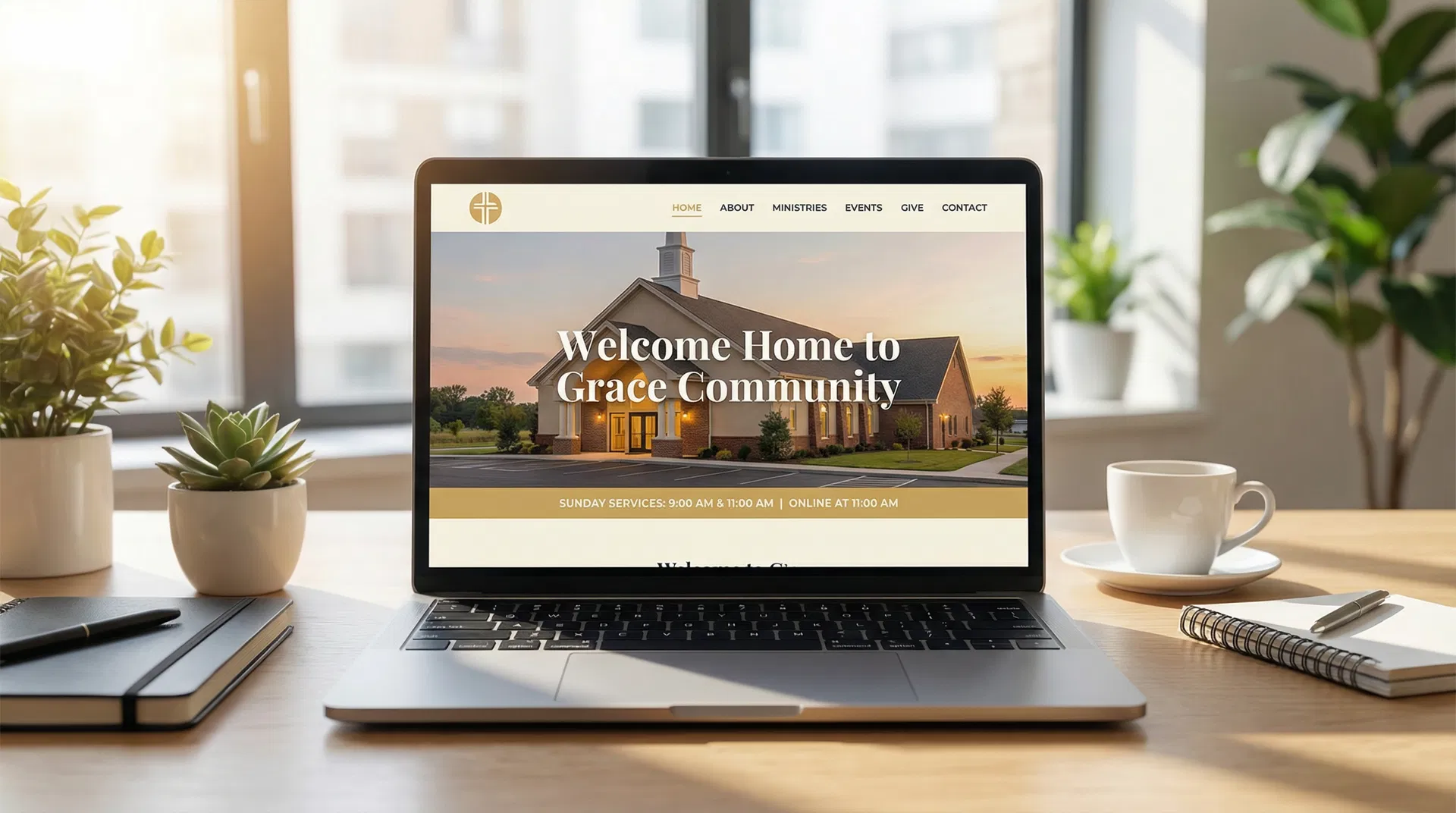
Essential Homepage Elements
1. Church Name and Logo (Top Left) Visitors should immediately know whose website they're on. Place your church name and logo in the top-left corner—this is where 94% of users look first.
2. Service Times (Above the Fold) "When are your services?" is the #1 question first-time visitors ask. Display service times prominently on the homepage—ideally in the hero section or immediately below it.
3. Clear Navigation Menu Use simple, self-explanatory labels: Home, About, Ministries, Events, Sermons, Give, Contact. Avoid church jargon like "Discipleship Pathways" or "Missional Communities" in your main navigation.
4. Welcome Message (100-150 words) A brief, warm welcome from your pastor or leadership team. Focus on what makes your church unique and who you serve. Link to your full About page for more details.
5. Call-to-Action Buttons Two primary CTAs work best:
- "Plan Your Visit" (for first-time visitors)
- "Watch Online" or "Latest Sermon" (for returning visitors or those not ready to visit in person)
6. Upcoming Events (3-4 max) Highlight your next 3-4 events with dates, times, and brief descriptions. Link to your full Events calendar for more.
7. Contact Information (Footer) Every page—especially your homepage—should include your address, phone number, and email in the footer. Make it impossible to miss.
Homepage Mistakes to Avoid
❌ Auto-playing video or music - Visitors will leave immediately
❌ Slider carousels - Only 1% of visitors click past the first slide
❌ Vague mission statements - "Loving God, Loving People" doesn't differentiate you
❌ Too many CTAs - More than 3 buttons creates decision paralysis
❌ Hidden service times - If visitors have to click 3 times to find service times, you've already lost them
Page #2: About/Welcome (The Most Underrated Page) {#about-welcome}
The About page receives 22% of all website traffic—nearly as much as the homepage—yet most churches treat it as an afterthought.
This page answers the question every first-time visitor is asking: "Will I fit in here?"
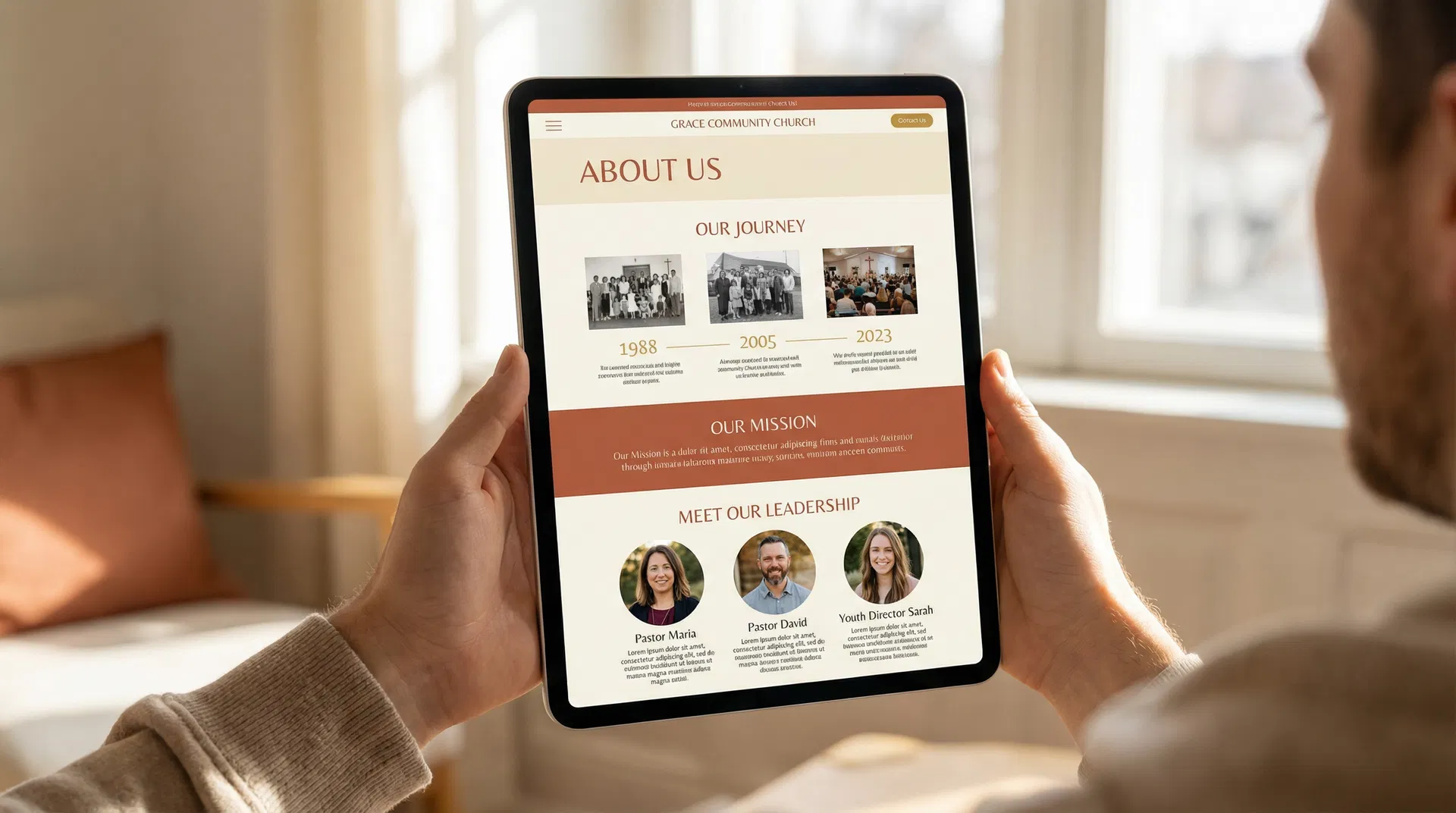
What to Include on Your About Page
1. Personal Welcome from Your Pastor A short video (60-90 seconds) or written message from your lead pastor creates immediate connection. Keep it conversational, not preachy.
2. Church History (Keep It Brief) Share your founding story in 2-3 paragraphs. Focus on the "why" behind your church's existence, not just dates and facts. What problem were you created to solve? What gap were you filling in your community?
3. Mission and Vision State clearly:
- Mission: What you do (e.g., "We help people discover and deepen their relationship with Jesus")
- Vision: Where you're going (e.g., "A church where everyone belongs, believes, and becomes")
4. Core Values List 3-5 core values that define your church culture. Be specific, not generic. Instead of "We value community," try "We believe life change happens in small groups, not just Sunday services."
5. What to Expect as a First-Time Visitor This section is critical. Address the top concerns first-timers have:
- What should I wear? ("Come as you are—jeans and t-shirts are common")
- Where do I park? ("Free parking in our main lot off Oak Street")
- What about my kids? ("Check-in opens 30 minutes before service; nursery available for infants-5 years")
- How long is the service? ("About 75 minutes, including worship and message")
- Will I be singled out? ("We'll welcome you, but you won't be asked to stand or introduce yourself")
6. Leadership Team Introduce your senior pastor and key staff with photos, brief bios, and contact information. People connect with people, not institutions.
About Page Formula
Page #3: Beliefs (Building Trust Through Transparency) {#beliefs}
Seventy-one percent of church switchers visit three times or less before deciding to regularly attend. Your Beliefs page plays a crucial role in that decision.
Visitors who read your Beliefs page spend an average of 3 minutes 22 seconds on it—the third-longest time on page across all church website pages. They're doing their homework.
What to Include on Your Beliefs Page
1. Statement of Faith Present your core theological beliefs in clear, accessible language. Avoid seminary jargon. If you use terms like "justification" or "sanctification," define them.
Common sections:
- God (Trinity: Father, Son, Holy Spirit)
- Scripture (authority and inspiration)
- Salvation (how people are saved)
- The Church (purpose and mission)
- Baptism and Communion
- Eternity (heaven and hell)
2. Denominational Affiliation (If Applicable) If you're part of a denomination, state it clearly and link to their website. If you're non-denominational, explain what that means for your church.
3. Distinctives What makes your theological approach unique? Are you charismatic or cessationist? Calvinist or Arminian? Contemporary or traditional? You don't need to dive deep into theological debates, but clarity helps visitors self-select.
4. What We Don't Believe Consider addressing common misconceptions. For example:
- "We don't believe you have to clean up your life before coming to church"
- "We don't believe worship style determines spiritual maturity"
- "We don't believe church membership is optional for followers of Jesus"
Beliefs Page Best Practices
✅ Use plain language - Write for a 9th-grade reading level
✅ Be specific - "We believe the Bible is God's Word" is vague; "We believe the Bible is inspired, inerrant, and our final authority for faith and practice" is clear
✅ Link to full documents - Provide a summary on the page, then link to your full statement of faith as a PDF
✅ Address hot-button issues - If your stance on women in leadership, LGBTQ+ issues, or political involvement is important to your identity, state it clearly
Page #4: Service Times & Locations {#service-times}
This seems obvious, but you'd be surprised how many church websites bury their service times three clicks deep.
Essential Information
1. Service Times List all service times with clear labels:
- Sunday 9:00 AM (Traditional)
- Sunday 11:00 AM (Contemporary)
- Wednesday 7:00 PM (Prayer & Bible Study)
2. Physical Address Include your full street address, not just "123 Main St." Use the complete format Google Maps recognizes.
3. Embedded Map Embed a Google Map directly on the page so visitors can get directions with one click.
4. Parking Information
- Where is parking located?
- Is it free?
- Are there designated spots for first-time visitors?
5. Accessibility Information
- Wheelchair accessible entrances
- Elevator locations
- Assistive listening devices
- Accessible seating areas
6. Online Service Option If you stream services online, include the link prominently. Many visitors will "attend" online before visiting in person.
Page #5: Ministries & Programs {#ministries}
Your Ministries page showcases opportunities for involvement and community engagement.
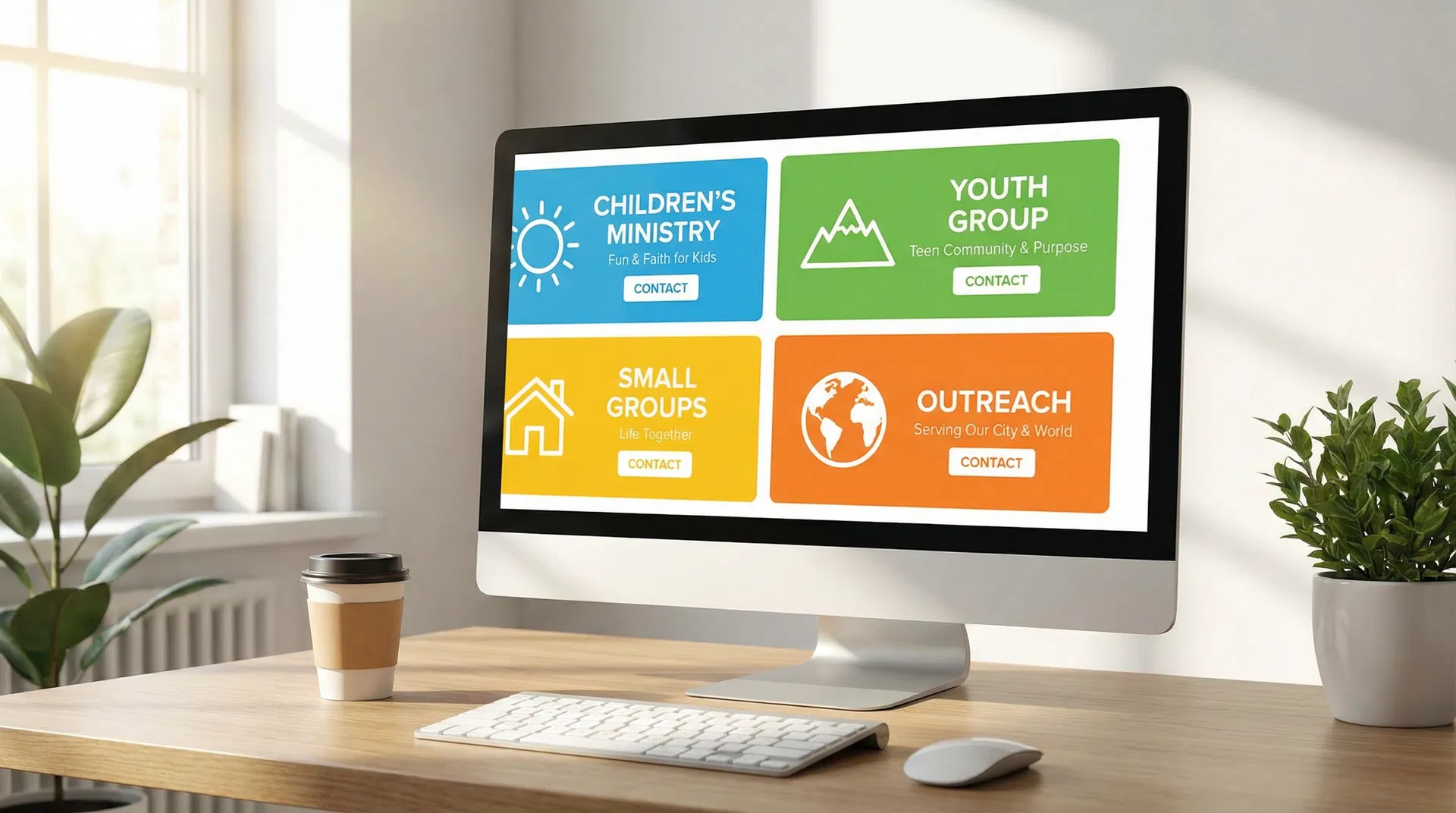
How to Organize Your Ministries
Option 1: By Life Stage
- Children (Birth-5th Grade)
- Students (6th-12th Grade)
- College & Young Adults
- Adults
- Seniors
Option 2: By Ministry Type
- Small Groups
- Worship & Arts
- Missions & Outreach
- Care & Support
Option 3: Hybrid Approach Combine both methods with clear categories and subcategories.
What to Include for Each Ministry
1. Ministry Name Use descriptive names, not insider language. "Kids Ministry" is clearer than "Kingdom Kids."
2. Brief Description (50-100 words) What happens in this ministry? Who is it for? What's the goal?
3. Meeting Times and Location When and where does this ministry meet?
4. Contact Person Name, email, and phone number for the ministry leader.
5. Call-to-Action "Join a Small Group," "Volunteer," "Learn More," etc.
Ministry Page Best Practices
✅ Limit to 2-5 main categories - Too many options overwhelm visitors
✅ Use photos - Show real people from your church, not stock photos
✅ Highlight volunteer opportunities - Make it easy for people to serve
✅ Keep descriptions brief - Link to dedicated pages for ministries that need more detail
Page #6: Contact & Directions {#contact}
Make it effortless for visitors to reach you.
Essential Contact Page Elements
1. Contact Form Simple form with fields for:
- Name
- Phone (optional)
- Message
- Reason for contact (dropdown: General Inquiry, Prayer Request, Visit Information, etc.)
2. Office Hours When is your office open? When can visitors expect a response?
3. Phone Number and Email Display prominently at the top of the page.
4. Physical Address Full street address with embedded Google Map.
5. Directions Brief written directions for visitors coming from major highways or landmarks.
6. Staff Directory (Optional) List key staff members with direct contact information if your church is large enough to warrant it.
Page #7: Online Giving {#giving}
Online giving increases overall giving by an average of 32%, even after accounting for service fees.
What to Include on Your Giving Page
1. Why We Give Brief theological explanation (2-3 paragraphs) of why giving matters. Avoid guilt or manipulation—focus on generosity as worship.
2. How Gifts Are Used Transparency builds trust. Show how donations support:
- Ministry programs
- Staff salaries
- Building maintenance
- Missions and outreach
3. Giving Options
- One-time gift
- Recurring giving (weekly, monthly)
- Designated giving (specific funds or projects)
4. Payment Methods
- Credit/debit card
- Bank transfer (ACH)
- Check or cash (with instructions)
5. Security Statement Reassure donors that their information is secure. Mention SSL encryption and PCI compliance.
6. Tax Information Explain that gifts are tax-deductible and how donors will receive year-end statements.
Giving Page Best Practices
✅ Make it mobile-friendly - 67% of online giving happens on mobile devices
✅ Minimize clicks - Visitors should be able to give in 3 clicks or less
✅ Offer recurring giving - Churches with recurring giving see 40% higher annual giving
✅ Send instant confirmation - Email receipt immediately after donation
Page #8: Events Calendar {#events}
An up-to-date events calendar keeps your congregation informed and engaged.
Essential Calendar Features
1. Upcoming Events List Display the next 5-10 events with:
- Event name
- Date and time
- Location
- Brief description
- Registration link (if applicable)
2. Calendar View Interactive calendar showing all events for the month.
3. Event Categories Filter events by type:
- Worship services
- Small groups
- Community events
- Special services (Easter, Christmas, etc.)
4. RSVP/Registration For events requiring headcount, include easy registration.
5. Past Events (Optional) Archive past events with photos and recaps to show your church's activity and community.
Page #9: Sermons & Media {#sermons}
Sermon content extends your reach far beyond Sunday morning.
What to Include on Your Sermons Page
1. Latest Sermon (Featured) Display your most recent sermon prominently with:
- Video player (if available)
- Audio player
- Sermon notes (PDF download)
- Scripture references
2. Sermon Archive Organize past sermons by:
- Date
- Series
- Speaker
- Topic
- Scripture
3. Podcast Link If you publish sermons as a podcast, include subscribe links for:
- Apple Podcasts
- Spotify
- Google Podcasts
- RSS feed
4. Sermon Notes and Resources Provide downloadable resources:
- Sermon outlines
- Discussion questions for small groups
- Recommended reading
Page #10: Leadership & Staff {#leadership}
People connect with people, not institutions. Your Leadership page humanizes your church.
What to Include
1. Senior Pastor
- Professional photo
- Bio (200-300 words)
- Education and experience
- Family information (spouse, kids)
- Hobbies or interests
- Contact information
2. Staff Team List all paid staff with:
- Photo
- Name and title
- Brief bio (100-150 words)
- Email address
3. Elders/Board Members (If Applicable) Introduce your governing board with photos and brief bios.
4. Key Volunteer Leaders (Optional) For larger churches, highlight key volunteer leaders in major ministries.
Page #11: New Visitors (Plan Your Visit) {#new-visitors}
This page removes barriers for first-time visitors.
What to Include
1. What to Expect Walk visitors through a typical Sunday:
- Arrival and parking
- Check-in for kids
- Pre-service coffee and connection
- Worship service flow
- Post-service connection opportunities
2. Frequently Asked Questions
- What should I wear?
- Will I be singled out?
- What's the music like?
- Is childcare available?
- How long is the service?
3. Service Times and Location Repeat this information here for easy access.
4. Virtual Tour (Optional) Photos or video tour of your building, including:
- Main entrance
- Worship center
- Kids' areas
- Restrooms
- Coffee station
5. Next Steps After visiting, what's next?
- Attend a newcomer's class
- Join a small group
- Serve on a team
Page #12: Blog (Ongoing Content) {#blog}
A blog provides ongoing value and improves your SEO.
What to Blog About
1. Sermon Recaps Summarize Sunday's message with key takeaways and application questions.
2. Ministry Spotlights Feature different ministries each month.
3. Event Recaps Share photos and stories from recent events.
4. Practical Christian Living Articles on topics like:
- Parenting
- Marriage
- Finances
- Work-life balance
- Spiritual disciplines
5. Community News Highlight ways your church is serving the local community.
Blog Best Practices
✅ Post consistently - Weekly or bi-weekly is ideal
✅ Use images - Every post should have a featured image
✅ Keep posts scannable - Use headings, bullet points, and short paragraphs
✅ Include CTAs - Link to relevant pages (events, giving, contact)
Ready to launch a complete church website with all 12 essential pages? Fast Church Websites delivers everything you need for $97 →
How to Organize Your Pages: Navigation Best Practices {#navigation}
Good navigation makes your website intuitive. Bad navigation drives visitors away.
Primary Navigation Menu
Your main menu should include 5-7 items maximum:
Recommended structure:
- Home
- About
- Ministries (dropdown: Kids, Students, Adults, Small Groups)
- Events
- Sermons
- Give
- Contact
Secondary Navigation (Footer)
Include additional pages in your footer:
- Beliefs
- Leadership
- New Visitors
- Blog
- Privacy Policy
- Terms of Service
Mobile Navigation
Sixty-three percent of church website traffic comes from mobile devices. Your mobile menu must be:
- Easy to access (hamburger icon in top-right corner)
- Easy to read (large, tappable links)
- Organized logically (same order as desktop)
Common Church Website Mistakes to Avoid {#mistakes}
Mistake #1: Too Many Pages
Churches often create a separate page for every ministry, event, and announcement. This creates navigation chaos.
Solution: Consolidate related content. Instead of 15 ministry pages, create 3-5 category pages with sections for each ministry.
Mistake #2: Outdated Content
Nothing screams "we don't care" like a homepage promoting Easter 2023.
Solution: Assign someone to review and update your website weekly. Remove outdated events, update service times, and refresh photos regularly.
Mistake #3: Insider Language
Terms like "Discipleship Pathways," "Missional Communities," and "Kingdom Kids" mean nothing to outsiders.
Solution: Use plain language. "Small Groups," "Community Groups," and "Kids Ministry" are instantly understandable.
Mistake #4: Hidden Contact Information
Visitors shouldn't have to hunt for your phone number or address.
Solution: Include contact information in the header or footer of every page.
Mistake #5: No Mobile Optimization
If your website doesn't work on mobile, you're losing 63% of potential visitors.
Solution: Use a responsive design that adapts to all screen sizes.
Mistake #6: Slow Load Times
Visitors abandon websites that take longer than 3 seconds to load.
Solution: Optimize images, use a fast hosting provider, and minimize plugins.
Frequently Asked Questions {#faq}
How many pages should a church website have?
Every church website needs at least 12 essential pages: Homepage, About, Beliefs, Service Times, Ministries, Contact, Giving, Events, Sermons, Leadership, New Visitors, and Blog. Additional pages can be added as needed, but these 12 form the foundation of an effective church website.
What is the most important page on a church website?
Data from 3.6 million pageviews shows the Homepage receives 28% of traffic, followed closely by the About/Welcome page at 22%. Both are critical—the homepage for navigation and first impressions, and the About page for helping visitors decide if your church is a good fit.
Should my church website have a blog?
Yes. A blog provides ongoing value to your congregation, improves your SEO (helping new visitors find you on Google), and establishes your church as a trusted resource. Post weekly or bi-weekly for best results.
How do I organize my church's ministries on the website?
Organize ministries into 2-5 main categories (by life stage or ministry type) rather than creating a separate page for each ministry. This prevents navigation overwhelm and makes it easier for visitors to find what they're looking for.
What should I include on my church's About page?
Your About page should include: a personal welcome from your pastor, brief church history (2-3 paragraphs), mission and vision statements, core values, "What to Expect" information for first-time visitors, and leadership team introductions with photos.
Do I need a separate "New Visitors" page?
Yes. A dedicated "New Visitors" or "Plan Your Visit" page addresses first-timer concerns (parking, dress code, service length, childcare) in one place. This page significantly increases the likelihood that website visitors will attend in person.
How often should I update my church website?
Review and update your website weekly. Remove outdated events, update service times, add new sermon content, and refresh photos regularly. Outdated content signals to visitors that your church isn't active or engaged.
Should my church website have online giving?
Absolutely. Churches with online giving see 32% higher overall giving compared to churches that only accept cash and checks. Make sure your giving page is mobile-friendly, secure, and allows for recurring donations.
What's the best way to display sermon content?
Feature your latest sermon prominently with video and audio players, downloadable sermon notes, and scripture references. Organize past sermons by date, series, speaker, topic, and scripture. Consider publishing sermons as a podcast for broader reach.
How do I make my church website mobile-friendly?
Use a responsive design that automatically adapts to different screen sizes. Test your website on multiple devices (phone, tablet, desktop) to ensure navigation, forms, and media players work correctly. Sixty-three percent of church website traffic comes from mobile devices, so mobile optimization is critical.
Conclusion: Structure Your Website for Growth
Your church website isn't just a digital brochure—it's your 24/7 front door. Every day, people in your community are searching for a church home. They're visiting websites, reading About pages, watching sermon clips, and deciding whether to visit in person.
The structure of your website determines whether those visitors become guests, and whether guests become members.
The 12 essential pages outlined in this guide aren't arbitrary—they're based on data from millions of church website visits and proven best practices from high-performing churches. When you implement this structure, you create a clear path for visitors to:
- Discover your church (Homepage, About, Beliefs)
- Explore opportunities (Ministries, Events, Sermons)
- Connect with your community (Contact, New Visitors, Leadership)
- Engage with your mission (Giving, Blog)
Most churches spend thousands of dollars on website design while neglecting the structure that actually drives results. Don't make that mistake.
Fast Church Websites delivers all 12 essential pages, professionally designed and ready to launch in 48 hours for just $97. No monthly fees. No hidden costs. No technical headaches.
Get Started with Fast Church Websites →
Your community is searching. Make sure they find you.